

Tarot Netivot Star of the Week Reading Sunday 11.30 -- Shabbat 12.6.25

By Natural Mystic Guide in Star of the Week
· 197 views
Feedback -- Questions and comments are welcome.
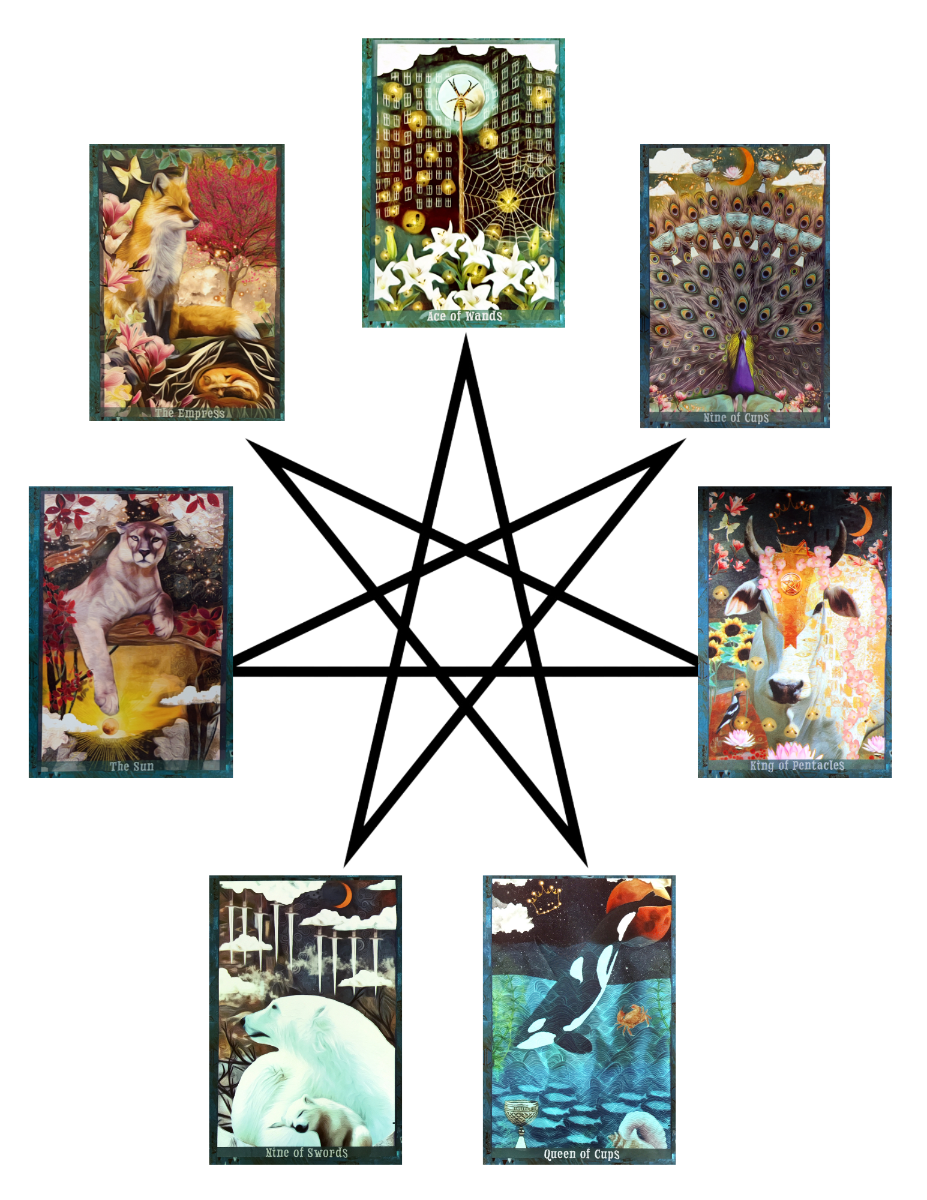
This reading gives us insight into energies that we can focus on during specific days of the upcoming week as well as throughout the entire week as a whole
This week's reading will use the Guardian of the Night deck by MJ Cullinane.
Here are focal points for our meditation:
Sunday: How Can I Express Generosity: Ace of Wands 'Passion' Order and prioritize my relationship with my various avocations.
Monday. How Can I Set the Emotional Tone for my Week? Mother of Cups 'Empath' Check in with Guidance re. creation of the Tarot Netivot deck.
Tuesday: What Do I Want to Manifest? III Eim 'Mother' Check in with Amaranth.
Wednesday: What Wisdom is Coming to Me? Matriarch of Pentacles 'Benefactress' Do a reading from El Goliath deck.
Thursday: What Do I Want to Develop? XIX Meyeledet 'Growth' Finalize Jewish Spiritual Practice work.
Friday: How Can I Connect with Romance, Friends and Nature? Nine of Cups 'Death' Expedite end of life paperwork.
Shabbat: How Can I Rest? Nine of Swords Chalamot 'DreamTime' Organize dreams.
Recommended Comments